
Absolute Hosting provides you with the ability to renew your hosting services at a time that is convenient to you, ideal for periods when you may be away and unable to attend to your regular invoice payments towards the end of the month.
This guide will walk you through the steps required to renew your services on demand.
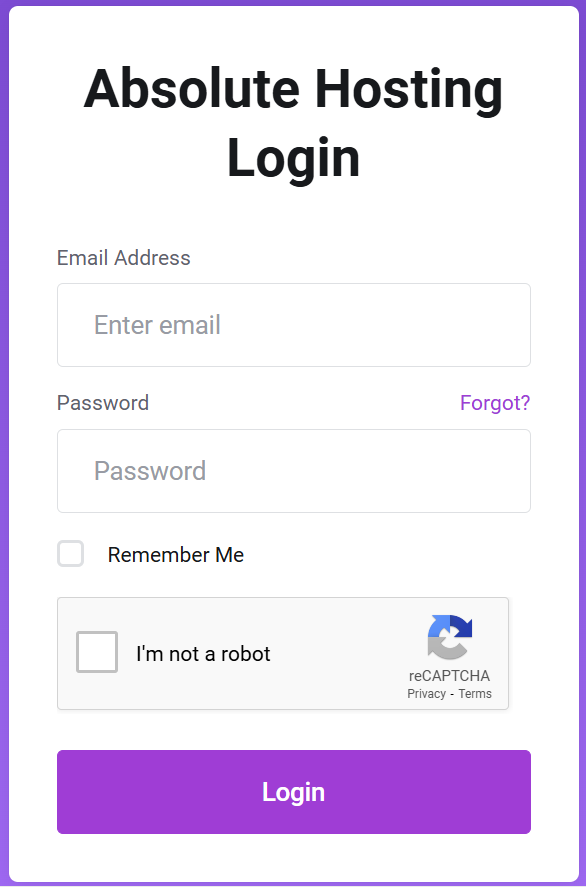
Log in to the client services area using your registered email address and password.
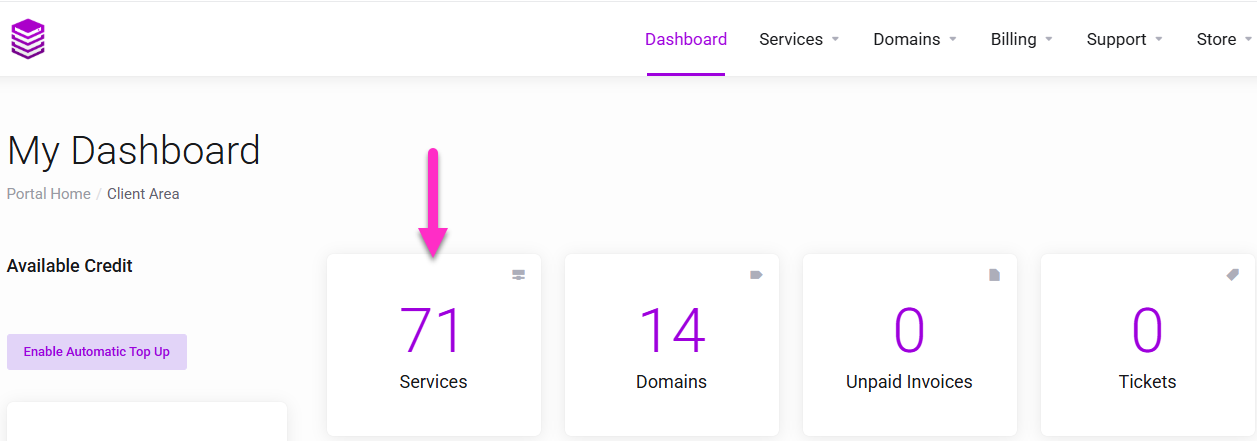
On the My Dashboard Page click the Services button
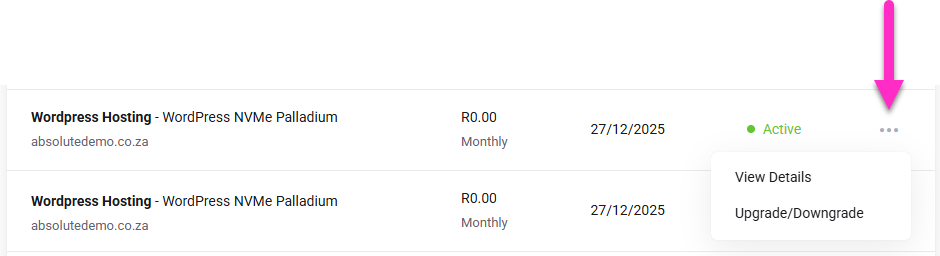
On the My Products & Services page, click the View Details button to manage the service.
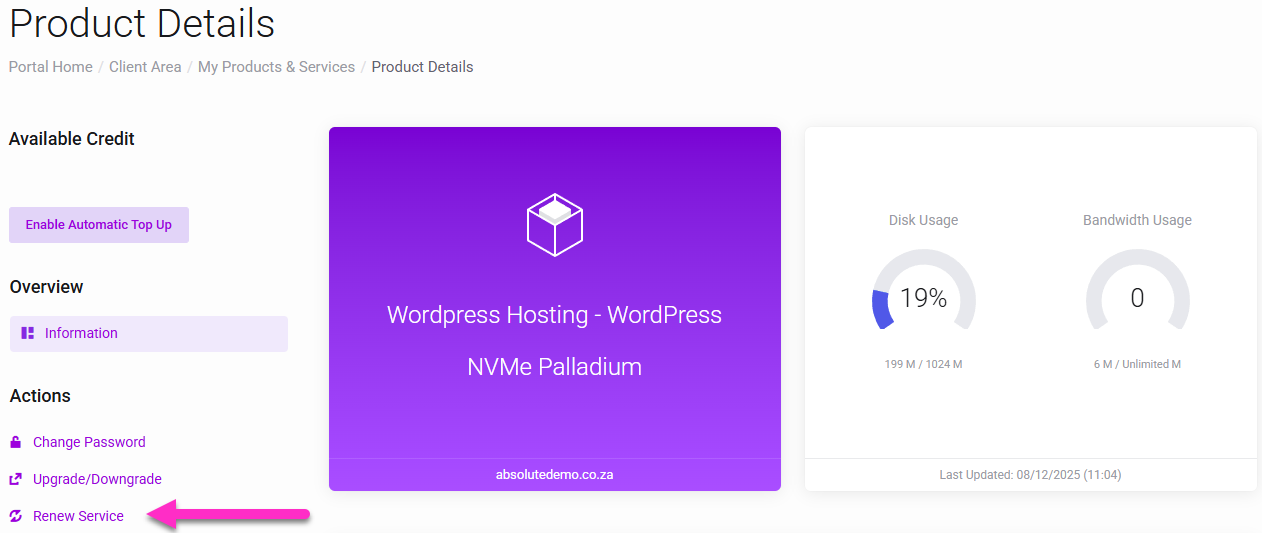
On the Product Details page click the Renew Service link
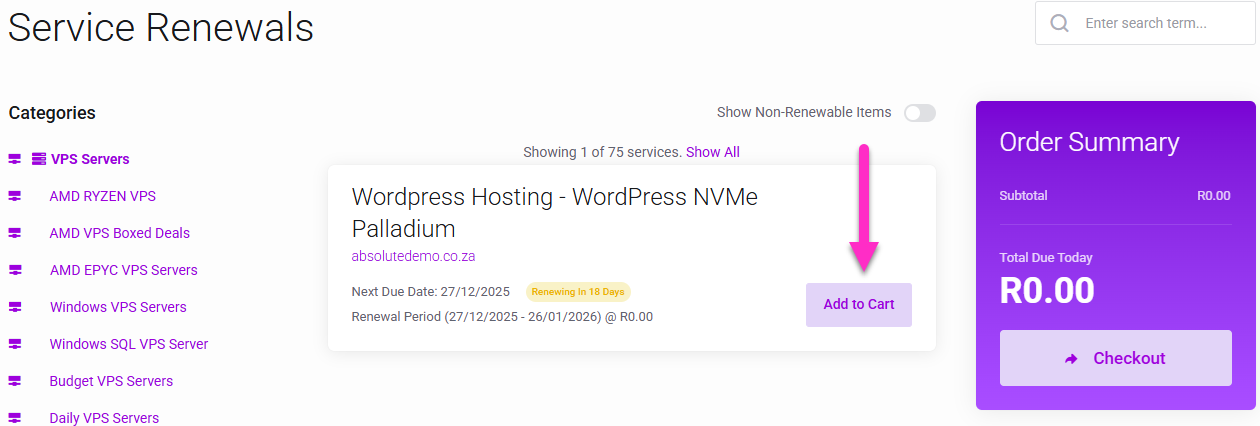
On the Service Renewals page click Add to Cart button, and complete the check out process by paying the invoice using one of our Payment Gateways.
Ad-hoc service renewal restrictions
You cannot perform an ad-hoc renewal when an existing invoice linked to the service is unpaid and overdue. First settle the outstanding invoice and then attempt to renew using ad-hoc billing.
- Services which are set to Monthly recurring billing may be renewed 25 days prior to the next service renewal date.
- Services which are set to Quarterly recurring billing may be renewed 45 days prior to the next service renewal date.
- Services which are set to Semi Annual recurring billing may be renewed 60 days prior to the next service renewal date.
- Services which are set to Annual recurring billing may be renewed 90 days prior to the next service renewal date.
- Bulk SMTP Services do not support ad hoc billing.
- SSL Certificates do not support service renewal and a new service must be ordered to replace the expiring SSL service.